Category: Personal

  • My revenge on slow Internet

    When I lived with my parents in the South of France 15 years ago, I lived a tumultous adolescence. One thing I remember is us living at the very end of a copper line, bringing ADSL at a whopping 800ko/s.

    I became proficient in computers around that age too, and it taught me patience (put someone in a room with very slow internet and you’ll see their true nature). Any download over 1Go made me anxious. If it failed halfway and was not a torrent, that was easily a few hours wasted. Torrents became the default for many things for that reason…

    Anyway, lately I’ve decided to upgrade my parent’s house internet connection and the entire networking stack.

    WAN: Starlink & 5G

    For my parents, fiber or any landline is not an option because of the remote location of the house. Starlink was the first WAN upgrade we installed, two years ago and it was incredible. My mom discovered video calls(!).

    5G is interesting here. I could add a 5G WAN connection thanks to these factors:

    • A 5G tower in direct line of sight with one of the roofs (distance of less than 2km) operating the n78 band and LTE for aggregation. In France we have a public API with this data.
    • A second-hand ZTE MC889 modem with an unlocked firmware (jackpot) allowing a strong directional lock on the tower at the right frequencies, configured in bridge mode. Special scripts can help lock the modem on the n78 and LTE bands.

    The MC889 provides twice the bandwidth performance of Starlink in throughput and latency, but Starlink is incredibly stable (observing after 3 years of use) with also no cap on data. Both are good enough connections, I’ll have to play with the router WAN policies to make good use of both.

    This setup allows 1GBps which is insanely good value for “wireless internet”, compared to the initial setup or even just Starlink.

    If you are with Orange/Sosh in France, you can add another SIM card for 5€/month, which could be useful for such setup.

    Both are mounted on a pole tied to chimney on one of the roofs, with precise alignment for both. Both Ethernet (PoE) go down the unused chimney back in the house to the network rack.

    LAN

    Starlink and the MC889 are connected to a ER707-M2 router. This router allows multiple WAN input including two ports at 2.5Gbps, which can be useful for the MC889 and future-proofing if fiber gets there one day eventually.

    It also allows load-balancing and fail-over, useful when you would combine your WAN connection to aggregate the connections (I know it’s not really a full aggregation) or when Starlink is down, 5G takes over etc.

    The router is connected to a 24-PoE ports switch. 200 meters of Cat6a cables go from the network rack to every corner of the house, reaching zone switches or WiFi access points. Access points are Deco units, which are very good for the price.

    In the network rack I also put a Home Assistant Green and a SLZB-06. This assures the management of smart devices (plugs, some lights, garage door, inverter/batteries, solar installation etc), and tracking of water and power consumption of the house.

    Home Assistant is extremely powerful here. In addition to the things it does and the Zigbee network and thanks to this ZTE integration and the Starlink one, it can track the data consumption from the MC889 and Starlink, that can be then used in useful automation and scripts.

    I’ll probably detail the Home Assistant setup in another article at some point. I also run one in my Paris apartment, it’s just so convenient. I’ve rarely found so much value in opensource software than with Home Assistant.

    There is also an Intel NUC i5-1145G7 that manages the DNS (Adguard Home), a Nextcloud instance, a VPN, the Omada controller and various docker stuff to manage the network instead of using the ER707 interface. I’ll probably add a paperless-ngx instance to help my parents with their pre-internet docs.

    Overall, I’m very happy for my parents with how things are set up now and the teenager I was would be happy too.
  • Micode Interview

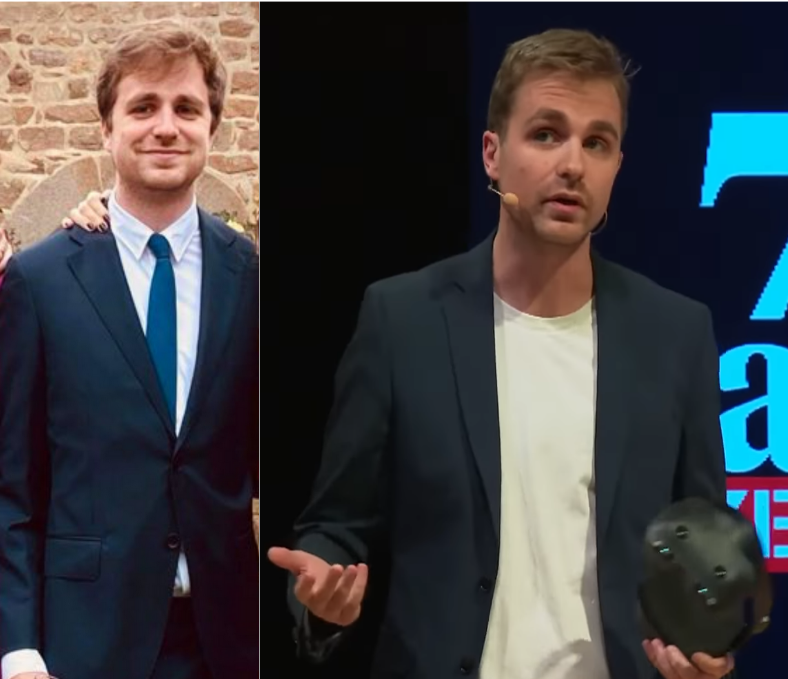
    I was recently on the Underscore_ show, a French channel focused on tech lead by the French tech youtuber Micode (with whom I had the pleasure to do multiple videos over the years).

    The video is in French, I’ll try to post an English transcript here later on.

    We’re discussing in this video the state of the ecosystem, the sudden rise of smartglasses with Meta leading the charge for better or worse.

  • Prototyping any stereo camera with StereoCam

    This post is for any person in AR/VR/drones and beyond who want to quickly prototype with stereo cameras.

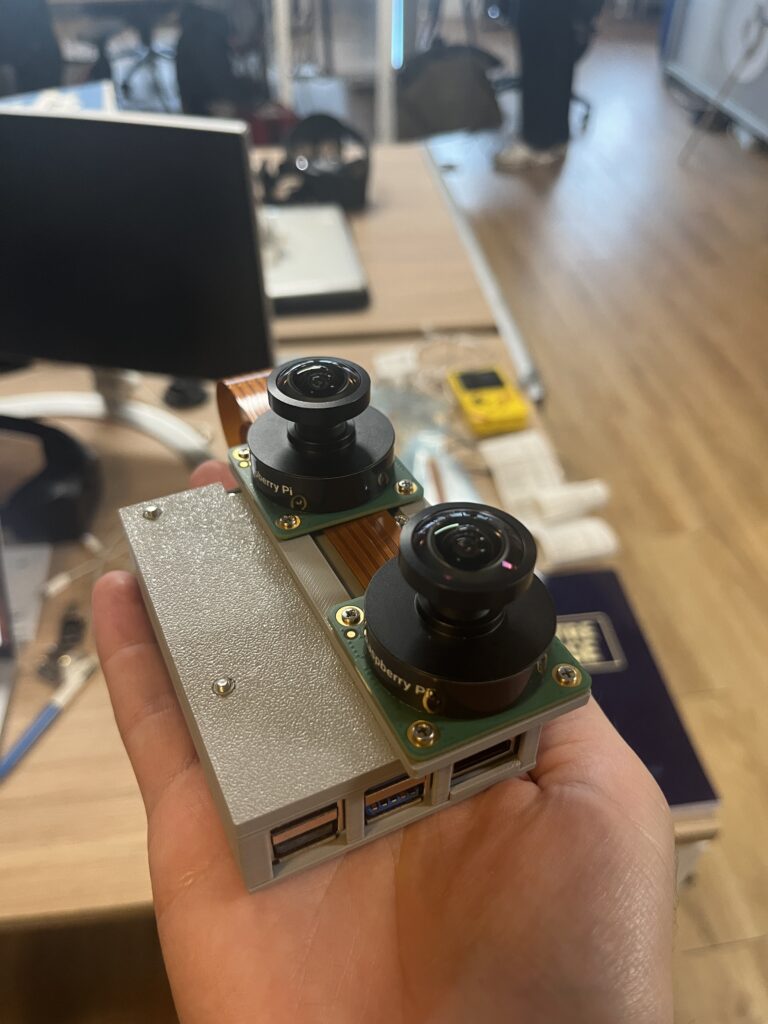
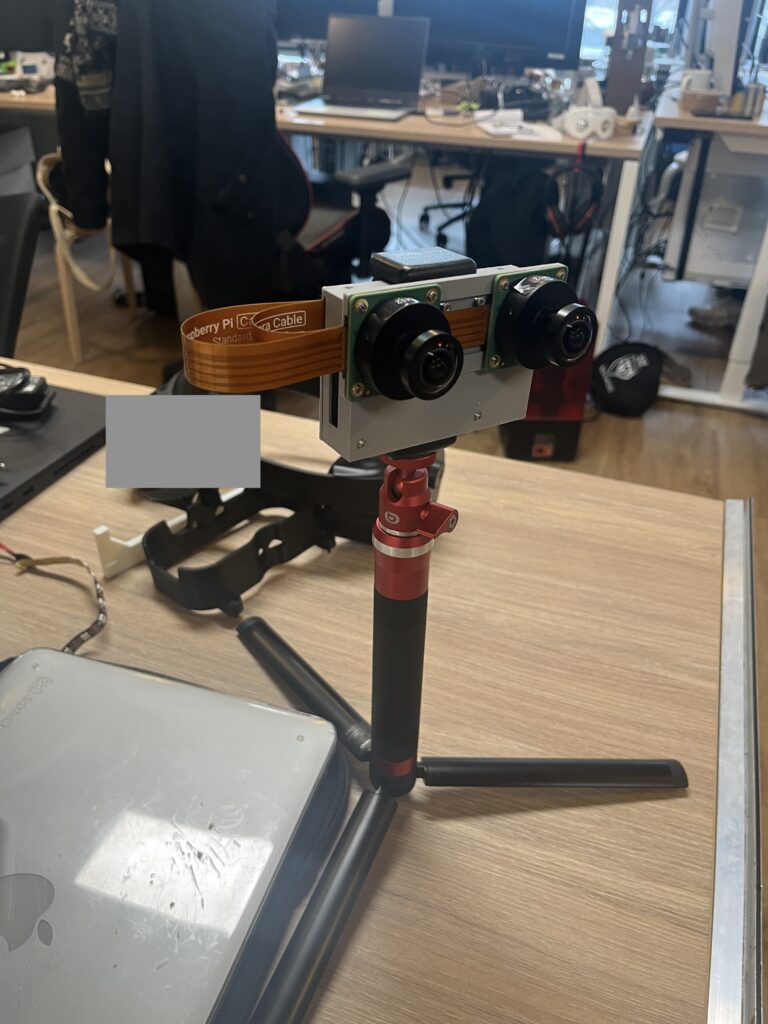
    Our StereoCam prototyping platform

    At Lynx, we are big on passthrough for Mixed Reality and thus we always had a need to test various setup of stereo cameras. We even built a passthrough MR headset with 140dB+ HDR cameras (probably not the HDR you think about).

    In order to test various lenses and sensors when tinkering future HMD configurations, I built as a weekend project a prototyping platform for the team where the goal was to be as simple and effective as possible to have quick results.

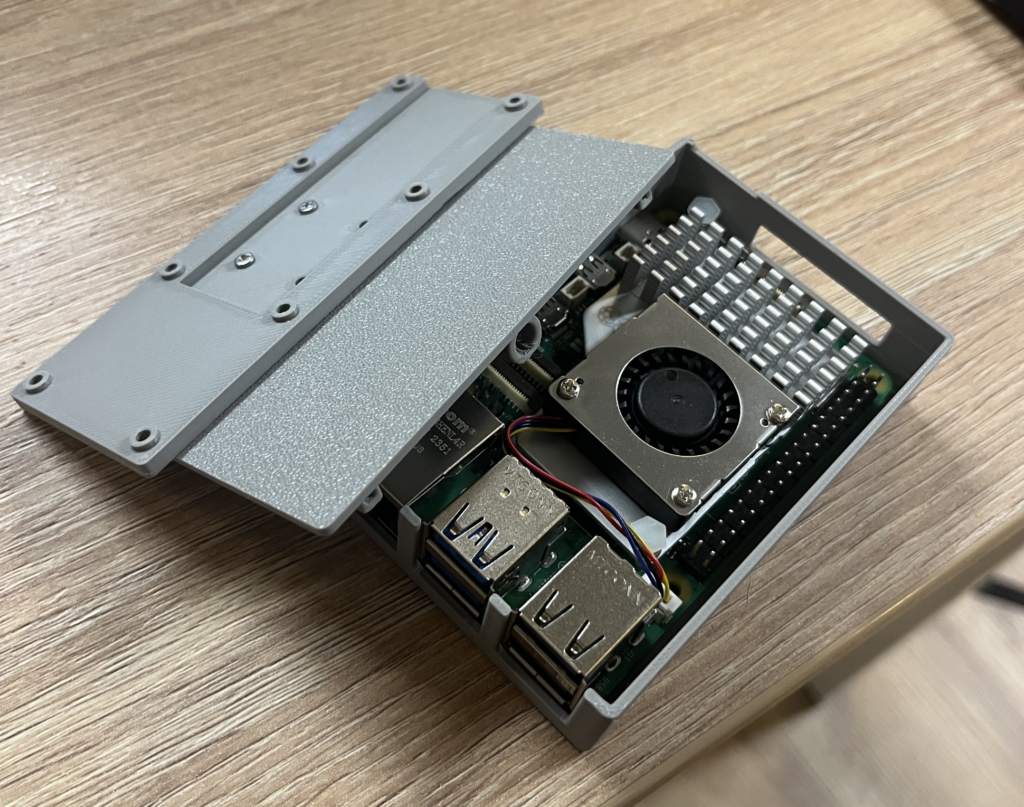
    The result is a platform built on top of the latest Raspberry Pi 5. The Raspberry Pi 5 has 2 dedicated MIPI ports, and all the bells and whistles you can expect from a small yet powerful ARM computer. There is even a 16Go RAM version now, pretty cool.

    What you’ll need to assemble this:

    The casing is separated in 3 volumes (CamHolder, Case, Lid). You can 3D print these with standard PLA very easily.

    The CamHolder was designed to hold the High Quality Camera from Raspberry Pi. It is a camera module based on a high-res Sony IMX477 sensor. So you can add two of these to the BOM.

    The case is designed to hold the Raspberry Pi 5 and its active cooling add-on. If you’re just streaming the cameras over the network to do processing somewhere else, then the whole system should only consume 5-6W, which could be fine without a cooler. Otherwise the active cooler is greatly encouraged.

    The case supports all RPi interfaces and its active cooler.

    To connect the MIPI cameras to the Raspberry Pi, you’ll need this kind of FPC: https://www.digikey.fr/fr/products/detail/raspberry-pi/SC1128/21658272. It also exists in 300mm and 500mm length.

    You also need to pick the right lens for your camera. Here is a vendor with a conveniant tool to pick the right FOV based on your resolution requirements.

    In Lynx use-case, we dump the RAW frames over the network so we can process them later and on a more powerful computer. We use the Raspberry Pi strictly as a “networked capture card”. The board is connected over Ethernet and we can start streaming the cameras with simple commands thanks to the Raspberry Pi incredible software support for cameras. You should find there your preferred ffmpeg/streaming command lines and if you don’t, you can always dig deeper with libcamera.

    Now you have in your hands a very capable stereo camera setup that can do a little bit off onboard processing (not any heavy AI stuff, but OpenCV distortion correction etc is largely feasible). You could even mount it as a payload on a drone and do some cool stereo FPV!

  • I don’t eat added sugar

    I’m about to turn 30 in 2024 and these last two years, I noticed I started to gain some weight.

    I was always thin (almost skinny) for most of my life, and suddenly I gained a few kilos, and it started to reflect on my face. I really couldn’t stand it so I decided to act.

    It was obvious that with Lynx, I was enduring some stress, and working late at night. When you work late at night, often focusing for a long time on one activity, you eat sugar to stay awake. When you’re stressed, you also tend to eat sweet things.

    I saw a photo of myself at a friend’s wedding and I was disgusted. So immediately, the thing I did was to just stop eating added sugar. I realized I almost stopped eating because sugar was in everything I ate. The only sugar I have is through fruits.

    I did nothing else, and lost 6 kilos in two months (from end of July to early October). From 74 to 68kg. During August, I also did some research to check if I was doing the right thing (and not slowly dying).

    Mid-may 2023 vs early October 2023

    Mid-may 2023 vs early October 2023, face has less border-radius…

    There is actually a lot of people, especially in the US, that are discussing this matter, and YES, eating sugar is most of the problem.

    You can do your own research on this topic, there are plenty of resources online, but I will share a very good talk about it (really worth your time):

    This video contains the essence of what’s wrong in the relationship we have with sugar and especially added-sugar (glucose-fructose).

    What I also tried (and still doing) but the impact is not necessarly on weight:

    • Buying an alarm clock and having your phone not in the bedroom
    • Eating better
    • Decent sleep hours

    I also remember that we still all die at the end :-), but I want to age in a better shape than the trajectory I was on, that’s all.

  • My personal setup

    A short article about what I use to manage my digital life.

    Computer

    It took me some time to find the right setup for me. I tried Mac, Windows and Linux and still own machines with these OS and my daily driver is finally Ubuntu 22.04. I mainly use a Dell XPS 13 running Ubuntu 22.04.

    It allows me to take calls from Webex/Google Meet/Teams/Zoom/Skype etc, and use professional software like the Jetbrains suite, Unity3D and Fusion360. It’s also great because most of my work on server-side stuff is also running on Ubuntu server or Debian.

    For the webcam I’m using OBS with my iPhone (modern smartphones have great cameras, might as well be useful with the computer as well?)

    I have a small Windows 10 virtual machine that I only use to run iTunes to backup my phone since I own an iPhone but don’t use iCloud.

    My browsing experience is simply Firefox with uBlock Origin.

    Phone

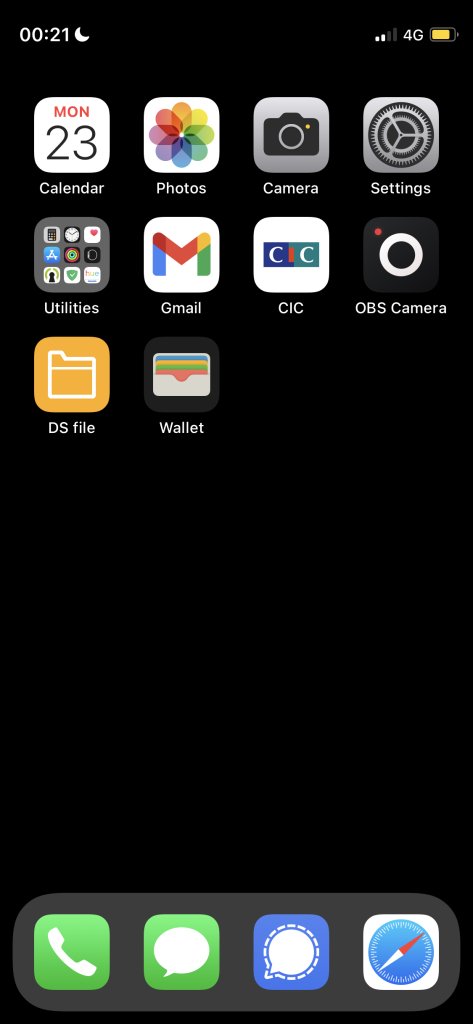
    I use an iPhone 12 13 mini. I owned an iPhone SE (2016) before for some years. I like being able to use it with only one hand, and having a smaller screen incentivize me to use it less (at least that’s my belief). I’m not a big user of my smartphone because I don’t want to be too dependent. To give you an idea, this is my home (and only) screen:

    Yep, not much.

    I only have notifications enabled for SMS/Signal and Gmail (the last one doesn’t have sound/vibration).

    I don’t have accounts for Facebook/Whatsapp/Snap/TikTok etc… for Linkedin and Twitter I use Safari or my desktop as the apps consume too much battery and are generally doing more tracking than the mobile web experience. My background is black because the phone display is OLED-based so it consumes less battery.

    The only thing I don’t like on my phone is Signal not providing a good backup system for iOS.

    I highly recommend the “DS File” app if you have a Synology server, see next paragraph. I use it to backup my photo as well as having my music and some important files (ID, passport scan etc) at hand. Also thank God for Adguard.

    Servers

    I own a Synology DS220+ at home that I use for:

    • Backing up my computer and email, photos, files… as well as some of my family members data
    • Backing up my phone (DS File for photo backup, and for everything else the backup file from iTunes)
    • Hosting this website
    • a VPN when I’m abroad or when I need
    • My addressbook server

    As it’s quite sensitive, it’s using the highest security possible. It also syncs weekly with a distant cloud in an encrypted manner, so if my house burns down or someone breaks in and steals the server (useless without the keys to decrypt content on disks of course), I still have a backup. I highly recommend this product.

    I also operate some servers, mainly rented from OVH (<3).

    HMDs

    Of course I own various AR & VR HMDs, and at Lynx we have most of what’s on the market.

  • Going to Laponia

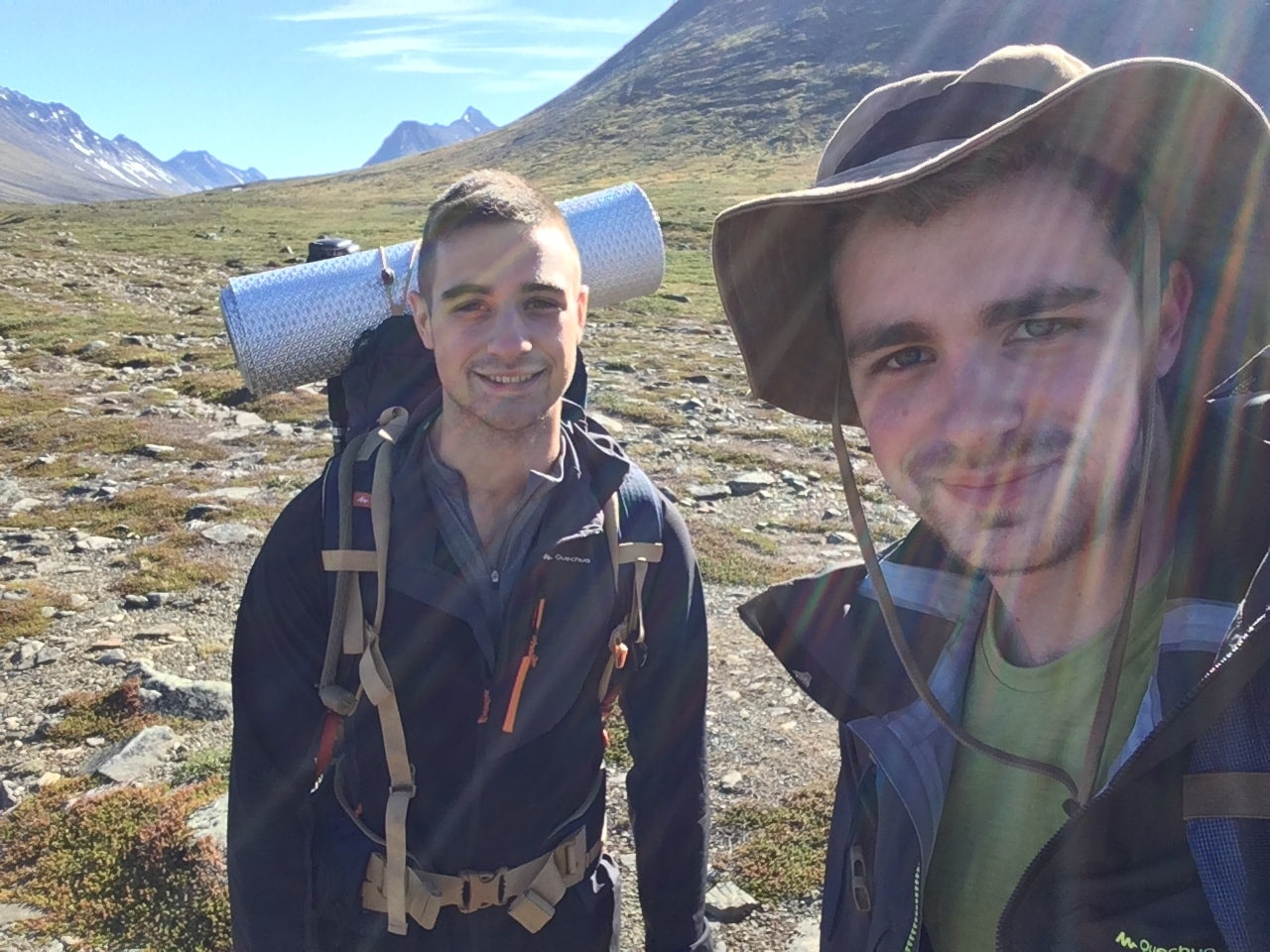
    We decided with my brother to hike together in an unusual place : Laponia, and more precisely at the very North of Sweden.

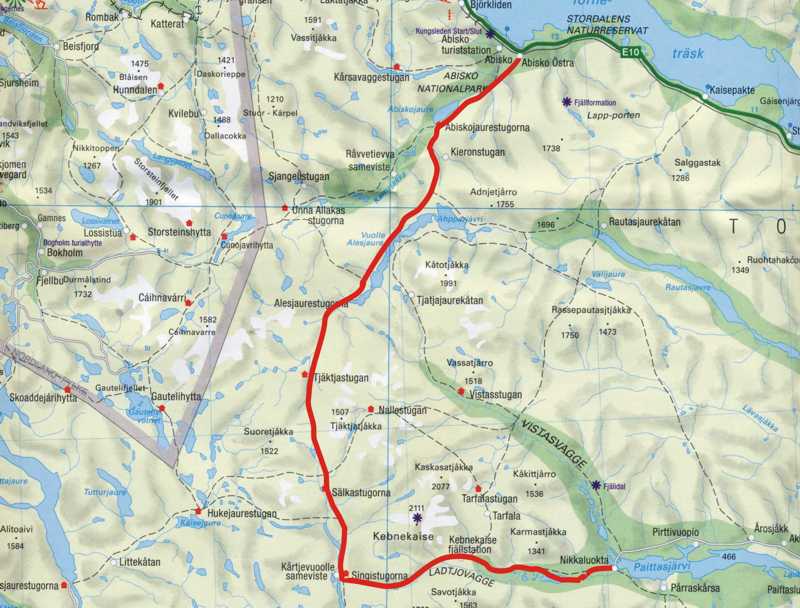
    We landed in Kiruna, and hitchhiked to Nikkaluokta, the start of our hike. The goal was to reach Abisko from Nikkaluokta by using a portion of the Kungsleden (the king’s road, one of the most famous trails in Sweden) Wikipedia.

    Here you will find the exact path we used, and you can google “Abisko – Nikkaluokta” if you want to make the same trip. We made it in four days, but it is typically a walk of 6-7 days or more if you want to relax.

    Our path

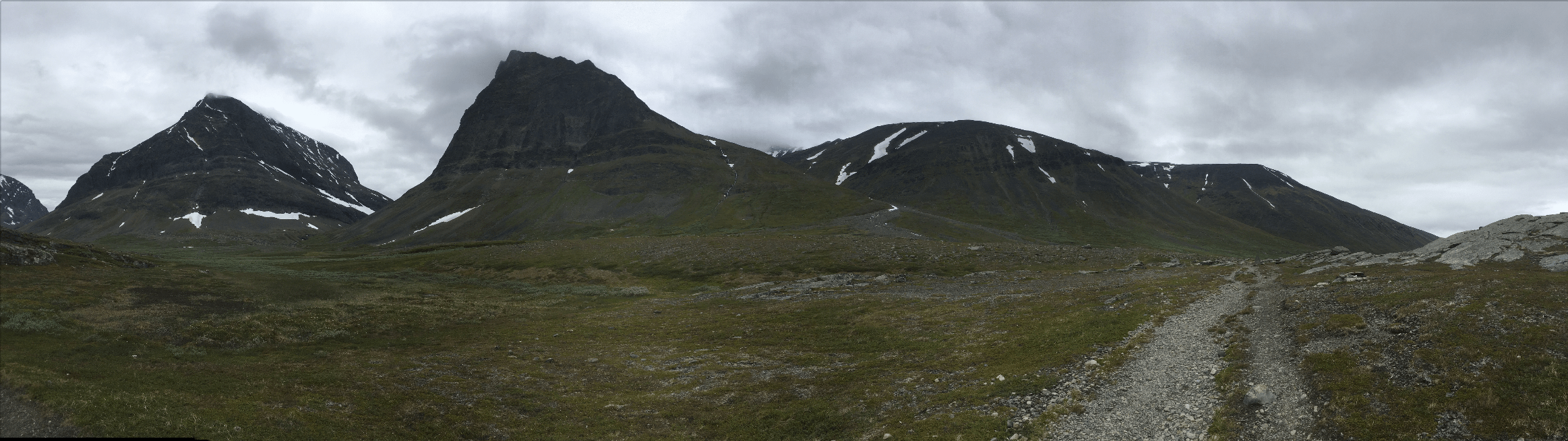
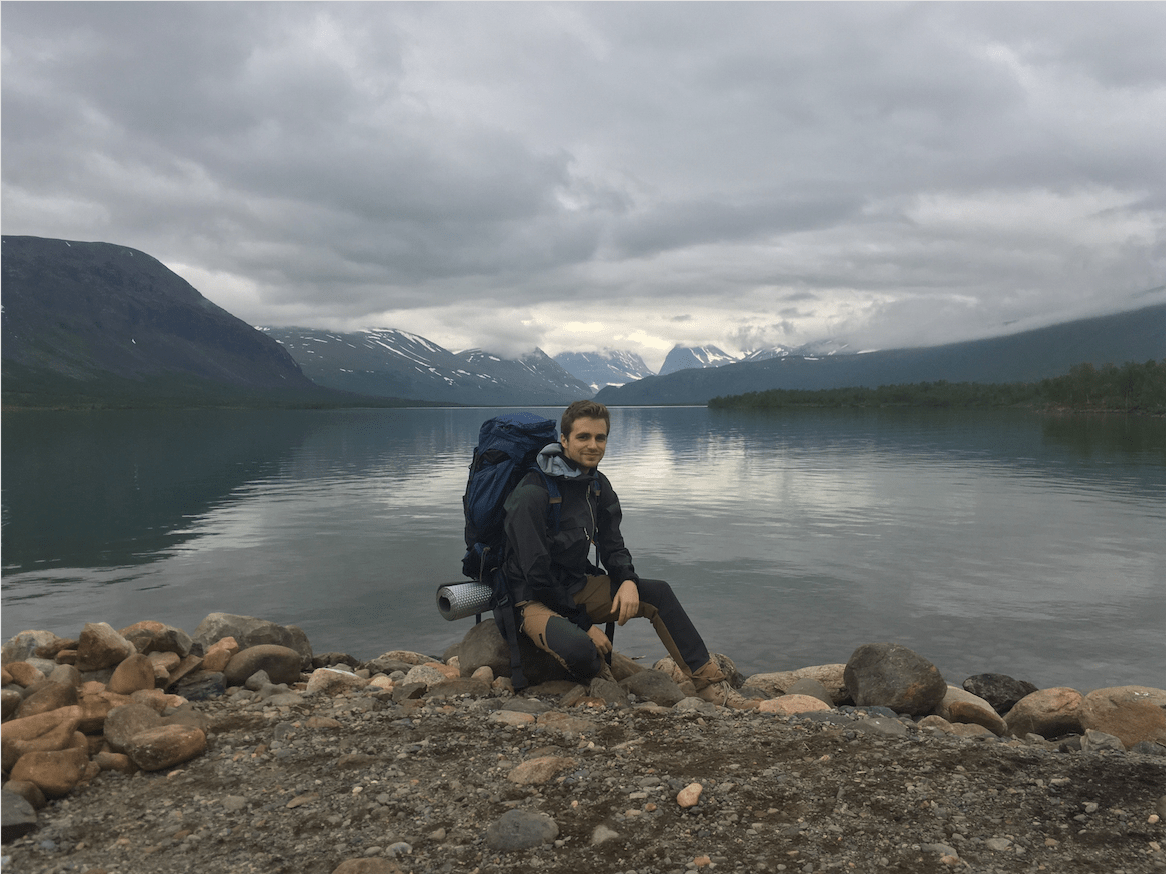
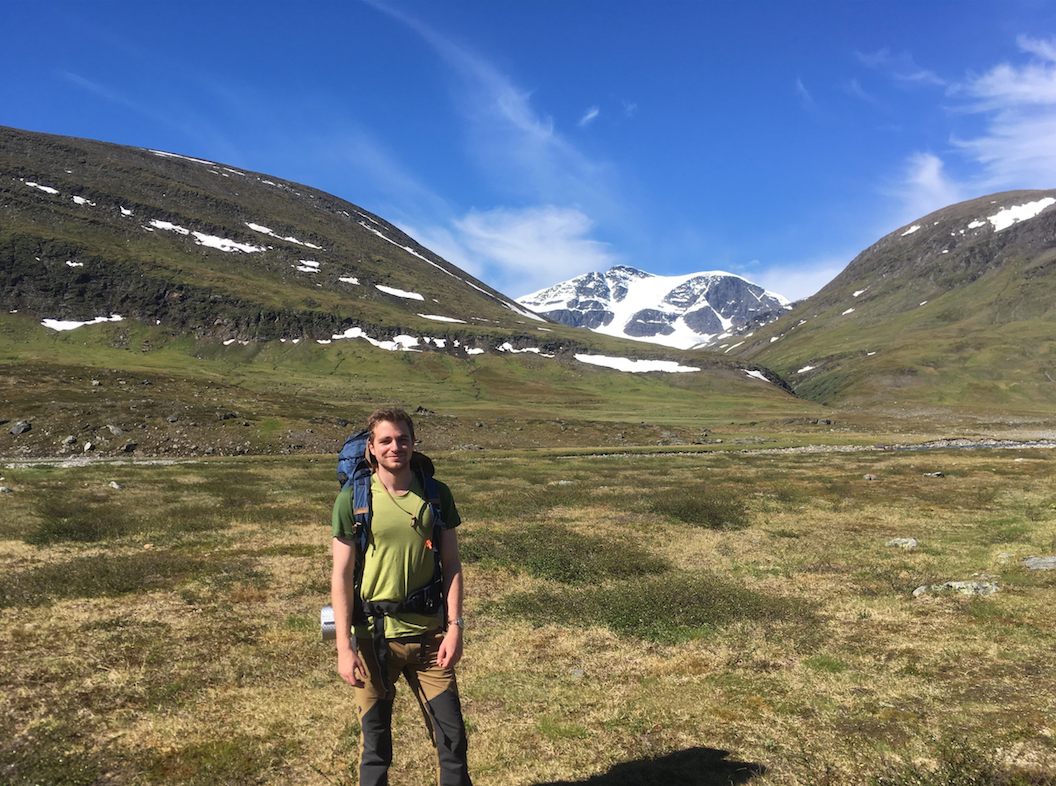
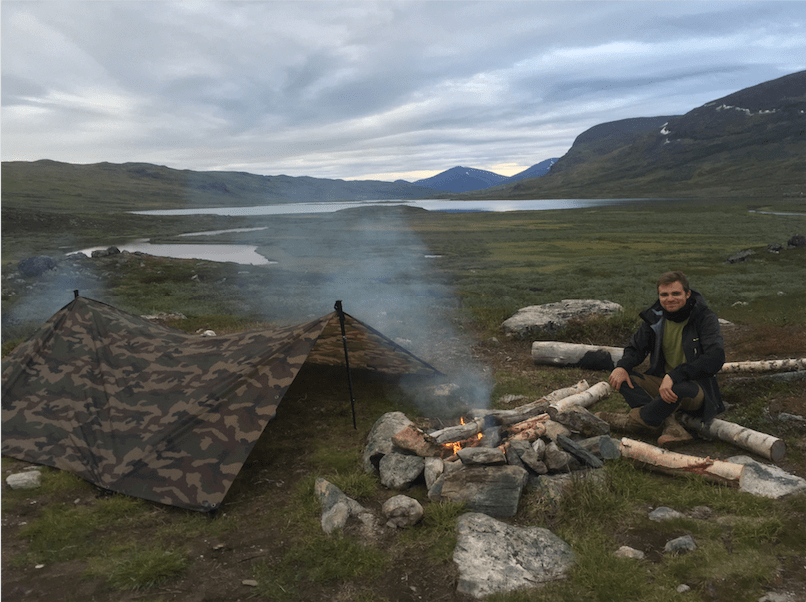
    Here are some photos along the way, we had a nice weather. Only trick: there is no night time, it’s always “day” but you can feel when the Sun goes behind the mountains. We had an average of 13°C with 75% of humidity, very good conditions to hike.

    We saw some rabbits and reindeers in packs, but it is mostly a desertic and hostile place. In two words : magnificent and quiet.

  • Surviving the Hacker News “hug of death”

    A quick article to mention that one of my articles on the DNS requests made by iPhones made the front page of Hacker News for a few hours. (and it got a lot of interesting comments!)

    When your post gets on the front page, there is what we call in the community the “HN hug of death”. It describes the huge traffic you will see on the URL you shared, and sometimes your site becomes unresponsive because the server is bloated.

    To be totally honest, I didn’t suffer from it because this blog is running with a very tiny CMS (almost a static website), the server is not a small VM and the front end is not bloated with dozens of requests.

    I got 10 114 unique visitors to the blog post from Hacker News on that day, so with a well-optimized website, everything should be fine!

  • High number of DNS requests made by iOS devices

    I run a simple ad blocker based on AlgoVPN. It is a simple adblocker for iOS devices. It blocks requests at the DNS level, so it is network-wide and thus very efficient.

    The connections are strictly anonymous and very secure (the code is here), but I anonymously log the DNS requests. It is a way of monitoring the usages of my servers.

    When I tested the service on my device, I discovered that iOS communicated non-stop with Apple servers. I thought it was linked to the Push services, but I looked into the logs and here are the concerned domains that are iOS-related:

    apple.com
    icloud.com
    akamaiedge.net
    akamadns.net
    apple-dns.net
    akamai.net
    akadns.net
    cdn-apple.com
    aaplimg.com

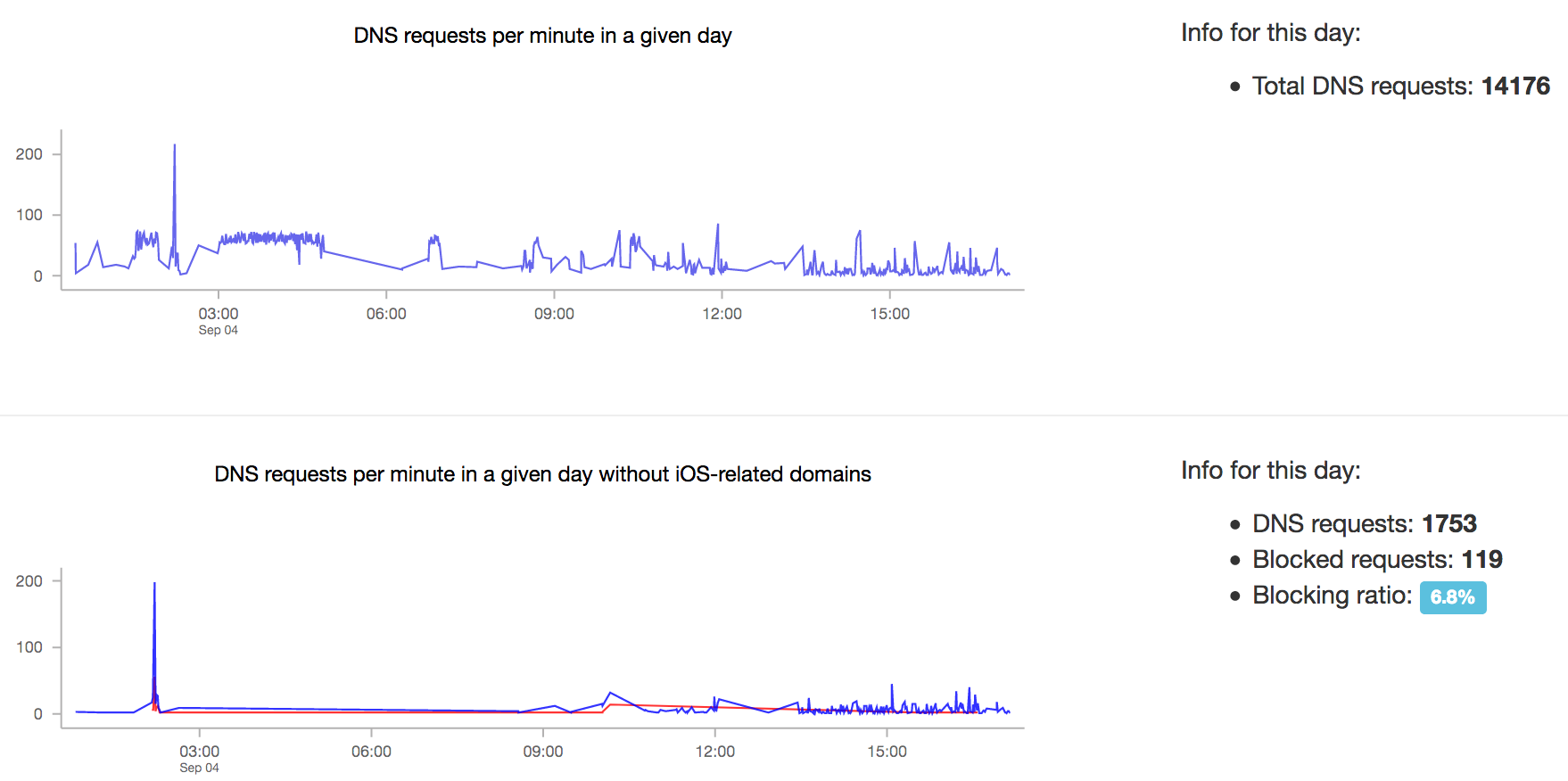
    Here is a screenshot showing the unexpected number of requests your phone makes. Notice the activity between 3AM and 5AM (I swear I was sleeping haha).

    I haven’t tried on Android devices, but it should be interesting as well. Another experiment would be to block these domains and see the impact on your battery life 😉

    UPDATE:

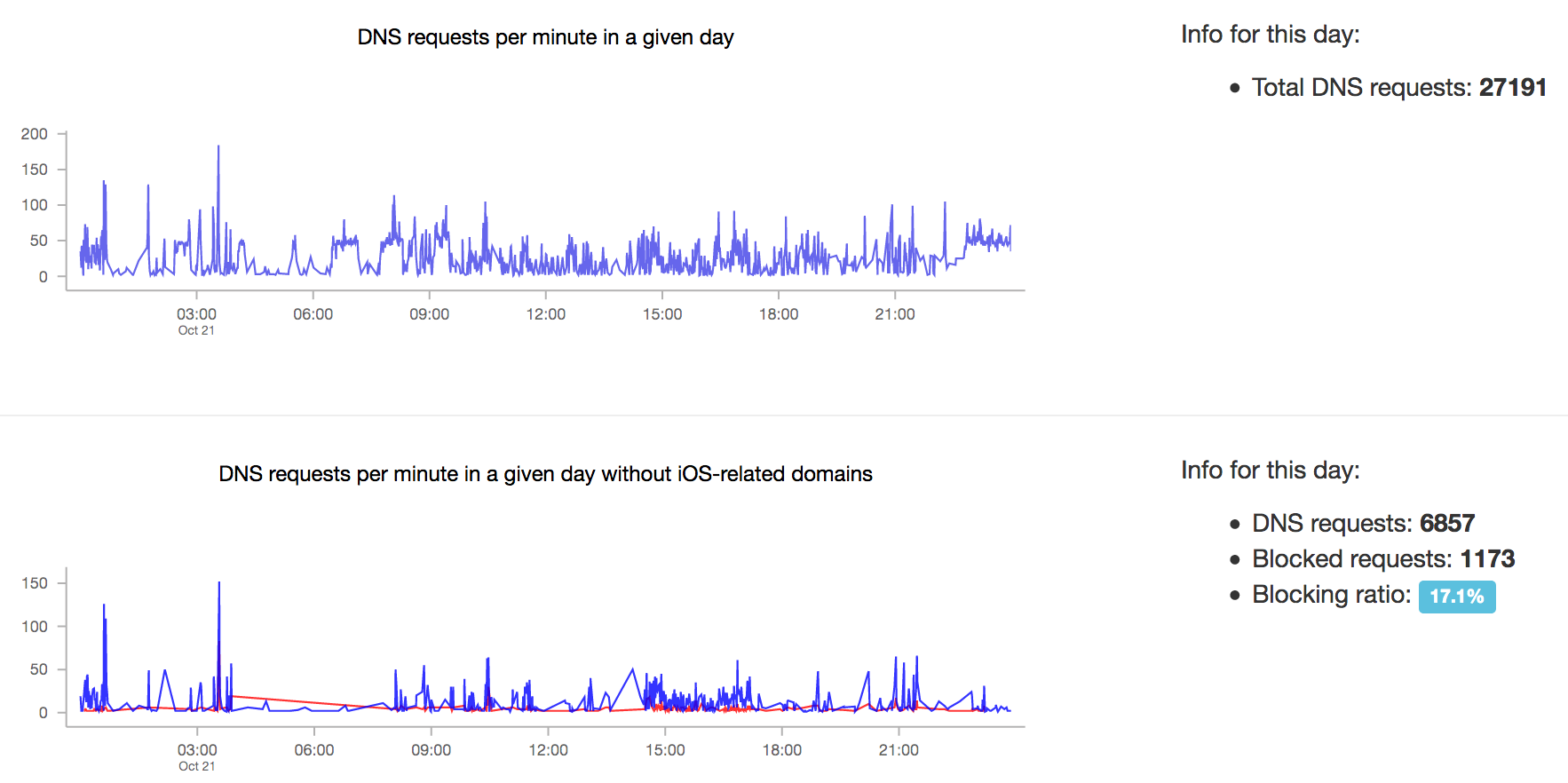
    Here is what it looks like with more devices. Observe the difference of requests between the two graphs.

    Here is a breakdown of all concerned hosts in a light csv file.

    Read more on the Hacker News discussion.